
Why?
Bitspark is consolidating account holders from different domains so you can enjoy one account to access all Bitspark’s products. This should make it easier for you to navigate our bankless money transfer ecosystem whether you’re a ZEPH investor, bankless person, business or enterprise.
See this simple explanation down below how to withdraw your ZEPH to your account.
Withdraw flow:
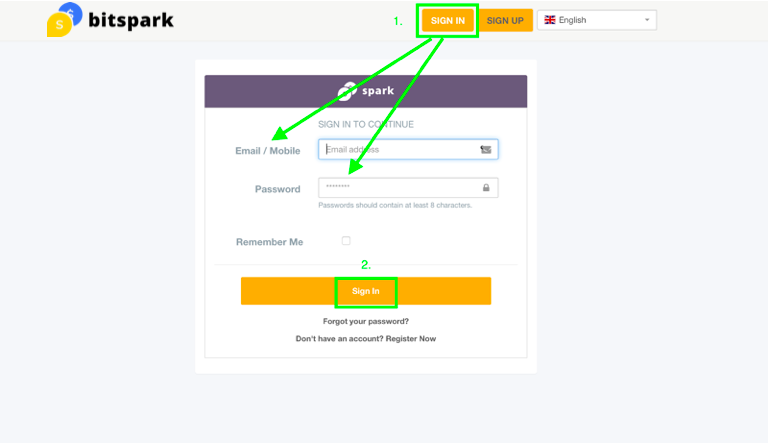
1. Go to https://remit.bitspark.io/signin
2. Login in to your account, using the same credentials as for zephyr.bitspark.io
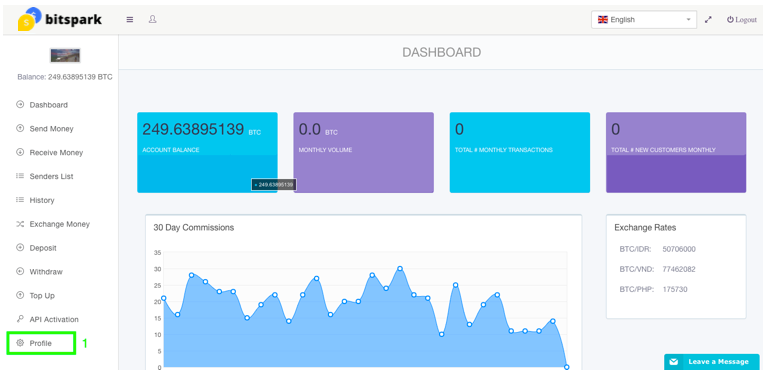
3. Go to «Profile» settings
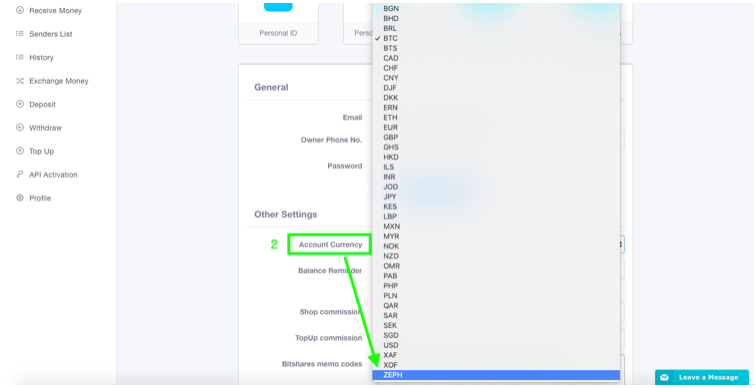
4. Scroll down to «Other settings»
5. Click on «Account Currency» and select ZEPH
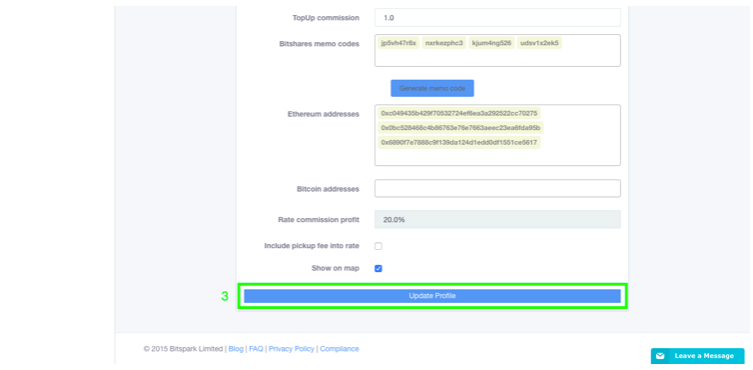
6. Scroll down to bottom screen and click on «Update profile»
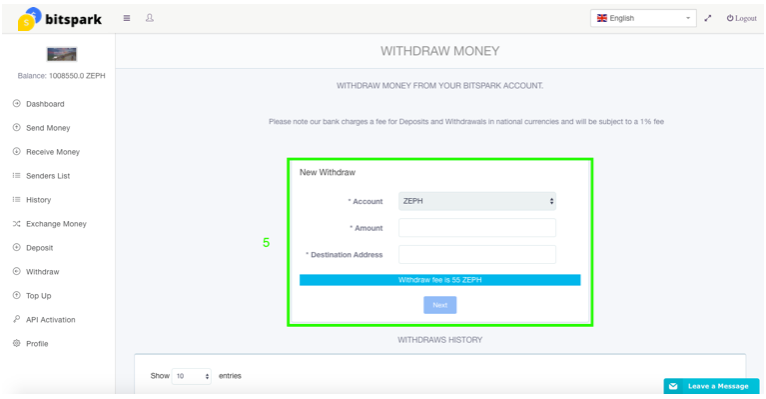
7. In sidebar menu click «Withdraw»
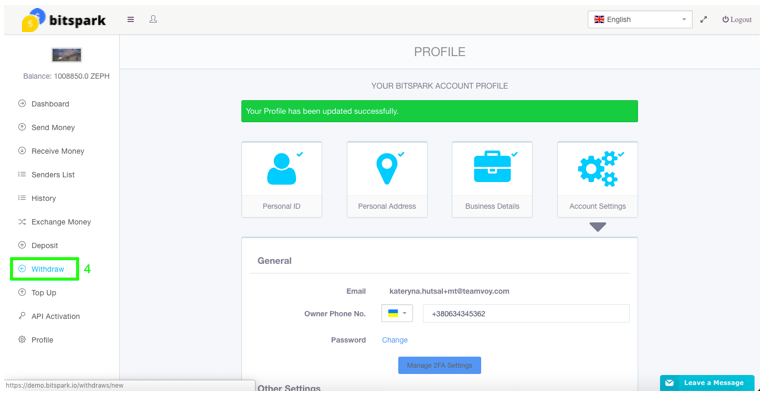
8. Enter amount and valid destination address
9. Click «Next»
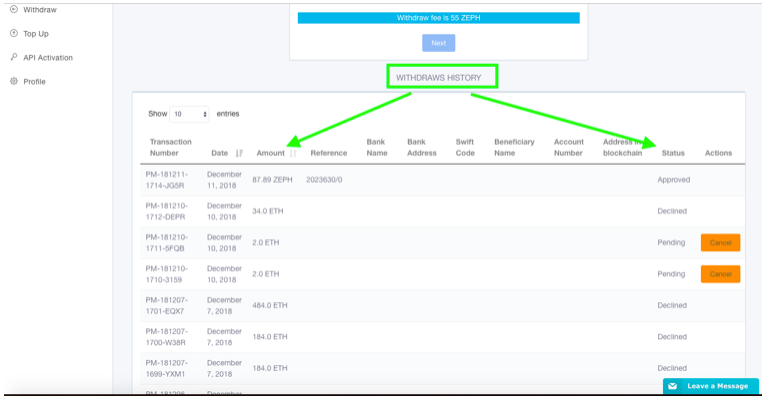
10. Your withdraw history below will show latest transaction and amount without fee with corresponding status, also ZEPH balance in account will reduce
Thanks for learning how to withdraw you ZEPH on your account. To read more about ZEPH and creating an account on SparkDEX, see the links below.
https://www.bitspark.io/the-zeph-token
https://www.bitspark.io/articles/how-to-dex-creating-an-account-on-sparkdex
https://www.bitspark.io/articles/how-to-dex-depositing-bitcoin-or-ethereum-on-sparkdex
If you have any questions please reach out to our growing community!